











Android POS Terminal: How Smart Terminals Work for Modern Businesses
The Android POS terminal has replaced traditional proprietary terminals in most modern retail and hospitality environments. Unlike the closed, bank-issued terminals of the past, Android smart POS devices run open operating systems, support third-party apps, integrate with existing business software, and accept every major payment method from chip and PIN to contactless, NFC wallets, and QR codes. This guide explains how Android POS terminals work, how they compare to traditional alternatives, which payment methods they support, and how to get one connected to your existing business infrastructure.
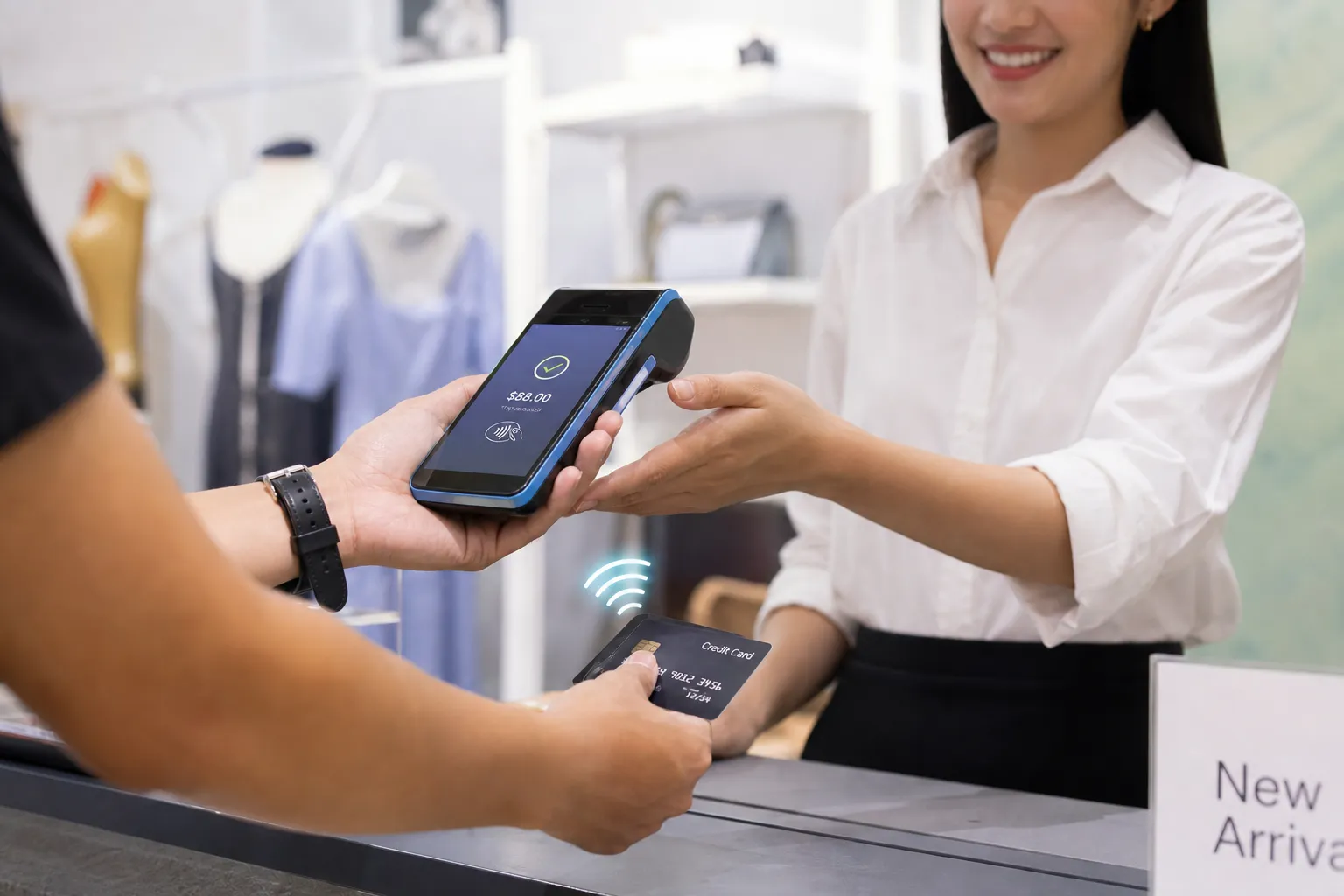
What Is an Android POS Terminal
An Android POS terminal is a payment device that runs the Android operating system. It combines the hardware functions of a traditional card terminal (card reader, PIN pad, receipt printer in some models) with the software flexibility of a smartphone or tablet. Because the OS is open, it can run custom applications alongside the payment software, allowing merchants to manage inventory, issue loyalty rewards, print kitchen orders, or run a full point-of-sale interface from the same device.
The hardware typically includes a colour touchscreen, a built-in card reader supporting chip, magnetic stripe, and contactless payments, an NFC antenna for tap-to-pay wallets, a camera for QR code scanning, and either a built-in or external receipt printer. Many models include SIM card slots for cellular connectivity, making them suitable for outdoor markets, delivery operations, or any location without a stable Wi-Fi connection.
Popular hardware platforms: Devices from manufacturers such as PAX, Ingenico Move, and Sunmi are common in the European market. These run a hardened version of Android with a certified payment kernel on top, meaning the underlying OS is locked down to meet PCI PTS security requirements while still allowing application-layer flexibility.
For merchants who also operate online and need a high risk payment gateway for e-commerce, the Android POS ecosystem allows unified reporting across in-store and online channels through the same merchant dashboard, simplifying reconciliation and settlement management.
Android POS vs Traditional POS: Key Differences
Traditional POS terminals, typically issued by banks, are purpose-built hardware running closed, proprietary firmware. They accept card payments and nothing else. The bank owns the software stack and the merchant has no ability to install additional applications, change the interface, or integrate with third-party systems.
Operating system: Traditional terminals run vendor-specific embedded OS. Android POS runs a Google-certified version of Android, giving access to the Google Play Store (for business apps) or a curated app marketplace provided by the payment provider.
Application flexibility: On a traditional terminal, you cannot add a loyalty programme, inventory management layer, or table management system. On an Android smart POS, you can install restaurant management software, run an employee scheduling app, or connect to your ERP directly from the device.
Hardware lifecycle: Traditional terminals become obsolete when the payment network upgrades its protocols, requiring hardware replacement. Android devices receive OS and security updates, extending the useful life of the hardware significantly.
Connectivity options: Traditional terminals typically rely on Ethernet or Wi-Fi. Android POS devices support Wi-Fi, Ethernet, Bluetooth, and 4G/LTE via SIM card, making them far more flexible for mobile and semi-permanent deployments.
Fee transparency: Bank-issued traditional terminals almost always come with opaque blended pricing. RoxPay Android POS terminals use IC++ pricing from 0.35%, where you see exactly what you pay in interchange fees, scheme fees, and markup. On a business processing 10,000 euros per month, this typically means 40% lower processing costs compared to a standard bank terminal.
Settlement independence: With a bank terminal, payouts go only to the account you hold at that bank. RoxPay settles to any SEPA bank account you choose, giving you full control of your banking relationships.
Supported Payment Methods: NFC, Contactless, Card, QR
A modern Android POS terminal supports every payment method your customers are likely to use, across every form factor.
Chip and PIN (EMV): The baseline for card payments across Europe. The customer inserts their card, the terminal reads the EMV chip, and the customer enters their PIN. For amounts below the contactless limit (typically 50 euros in most European countries), a PIN is not required for contactless.
Magnetic stripe: Supported for compatibility with older cards and non-European markets, though magnetic stripe transactions carry higher fraud risk and are being phased out.
Contactless (NFC): The customer taps their card or phone on the terminal's NFC reader. Transactions below the contactless threshold complete in seconds without PIN entry. Above the threshold, a PIN or biometric is required.
Mobile wallets: Apple Pay, Google Pay, and Samsung Pay all use NFC technology to transmit a tokenised card credential to the terminal. From the terminal's perspective, these transactions are processed the same as a contactless card tap. RoxPay terminals support all three major wallets alongside PayPal QR code payments.
QR code payments: The terminal's camera scans a customer-presented QR code, or the terminal displays a QR code for the customer to scan with their banking app. This is particularly relevant for markets where mobile banking apps use QR-based payment flows.
RoxPay terminals support Visa, Mastercard, American Express, and 40+ additional payment circuits, covering the vast majority of cards your customers carry across European markets.
Integration With Your Existing Software and ERP
The practical value of an Android POS terminal over a traditional device lies in its ability to connect to the software systems your business already runs. This integration eliminates manual re-entry of sales data and reduces reconciliation errors.
REST API integration: RoxPay provides a REST API that your existing point-of-sale software can call to initiate a payment on the terminal. The POS software sends the amount, currency, and order reference; the terminal handles the payment flow; and a webhook returns the result. This architecture means any custom-built or commercial POS system can drive the terminal without replacing your front-end software.
ERP and accounting integration: Transaction data from the terminal is available via the RoxPay dashboard and API for export to accounting systems. Settlement reports are generated in a format compatible with standard accounting workflows, and the IC++ fee breakdown provides the granularity required for accurate cost accounting.
Multi-terminal management: Businesses with multiple locations or registers can manage all terminals from a single dashboard. Transaction reports, refund initiation, and configuration changes are available centrally without physical access to each device.
Standalone operation: For simpler deployments, the terminal operates fully standalone. The merchant enters the amount on the touchscreen and the device handles the complete payment flow without any external system integration. This suits markets, events, pop-up shops, and delivery drivers who need a payment device with no fixed infrastructure requirement.
How to Get an Android POS Terminal Through RoxPay
Getting an Android POS terminal through RoxPay involves a straightforward onboarding process that activates both the hardware and the merchant account simultaneously, avoiding the common situation where a merchant has a terminal but is waiting weeks for payment processing approval.
Step 1: Submit your application. To start your RoxPay application, complete the online onboarding form. Required documents include business registration, identity verification for the legal representative, and bank account details for settlement. The process is entirely digital and typically takes 48 hours for standard merchant categories.
Step 2: Select your terminal hardware. RoxPay offers a range of Android smart POS devices suited to different use cases. Handheld models suit restaurants and hospitality. Fixed countertop models suit retail. Portable models with extended battery life suit outdoor and event merchants.
Step 3: Configure your payment methods. Once your account is approved, enable the payment methods relevant to your business from the dashboard. Apple Pay, Google Pay, and contactless are active by default. Additional circuits and currencies can be enabled on request.
Step 4: Connect to your existing systems. If you use third-party POS software or an ERP, the RoxPay technical team supports integration via the REST API. Full documentation is available in the developer portal.
Pricing: RoxPay uses IC++ pricing from 0.35% markup on top of real interchange fees. There are no monthly minimums on base plans and settlement reaches your SEPA account within 48 hours of transaction processing.
Frequently Asked Questions
Can an Android POS terminal work without Wi-Fi?
Yes. Most Android POS terminals include a SIM card slot and support 4G or LTE connectivity. This makes them suitable for outdoor markets, food trucks, delivery services, and any location without reliable Wi-Fi. Cellular connectivity is handled at the OS level, so your payment application does not need to be configured separately for different network types.
Is an Android POS terminal more expensive than a bank terminal?
The hardware cost is comparable or lower, and the processing costs are typically significantly lower when using IC++ pricing. Bank terminals often come with hidden blended rates that obscure actual costs. On IC++ pricing from RoxPay, you pay real interchange plus a fixed markup from 0.35%, which on typical European consumer cards is materially cheaper than blended rates offered by most banks.
How secure is an Android POS terminal compared to a traditional one?
Android POS terminals certified for payment processing meet PCI PTS (Pin Transaction Security) standards, the same security certification required for traditional terminals. The payment kernel runs in a secure enclave isolated from the general Android OS layer, meaning installed applications cannot access card data. RoxPay terminals are PCI DSS Level 1 compliant, the highest certification level in the payment card industry.
You might also like
High Risk Payment Gateway
Secure payment processing for high-risk industries with multi-acquirer routing and chargeback protection.
Small Business Payment Solutions
Transparent IC++ pricing, free Smart POS terminal, and 24-hour activation for small businesses.
E-commerce Payment Integrations
One-click plugins for WooCommerce, Magento, and PrestaShop with full API access.
Optimize your payments today
RoxPay Android POS terminals include IC++ pricing from 0.35%, settlement to any SEPA bank within 48 hours, and support for all major payment methods including Apple Pay, Google Pay, and 40 plus payment circuits.
✓ No monthly fixed costs · ✓ Activation in 24 hours · ✓ Dedicated technical support